
Challenges
Set yourself a course, take up the challenge and stay motivated with the community.

Gandalf
Co-founder of Poker Sciences
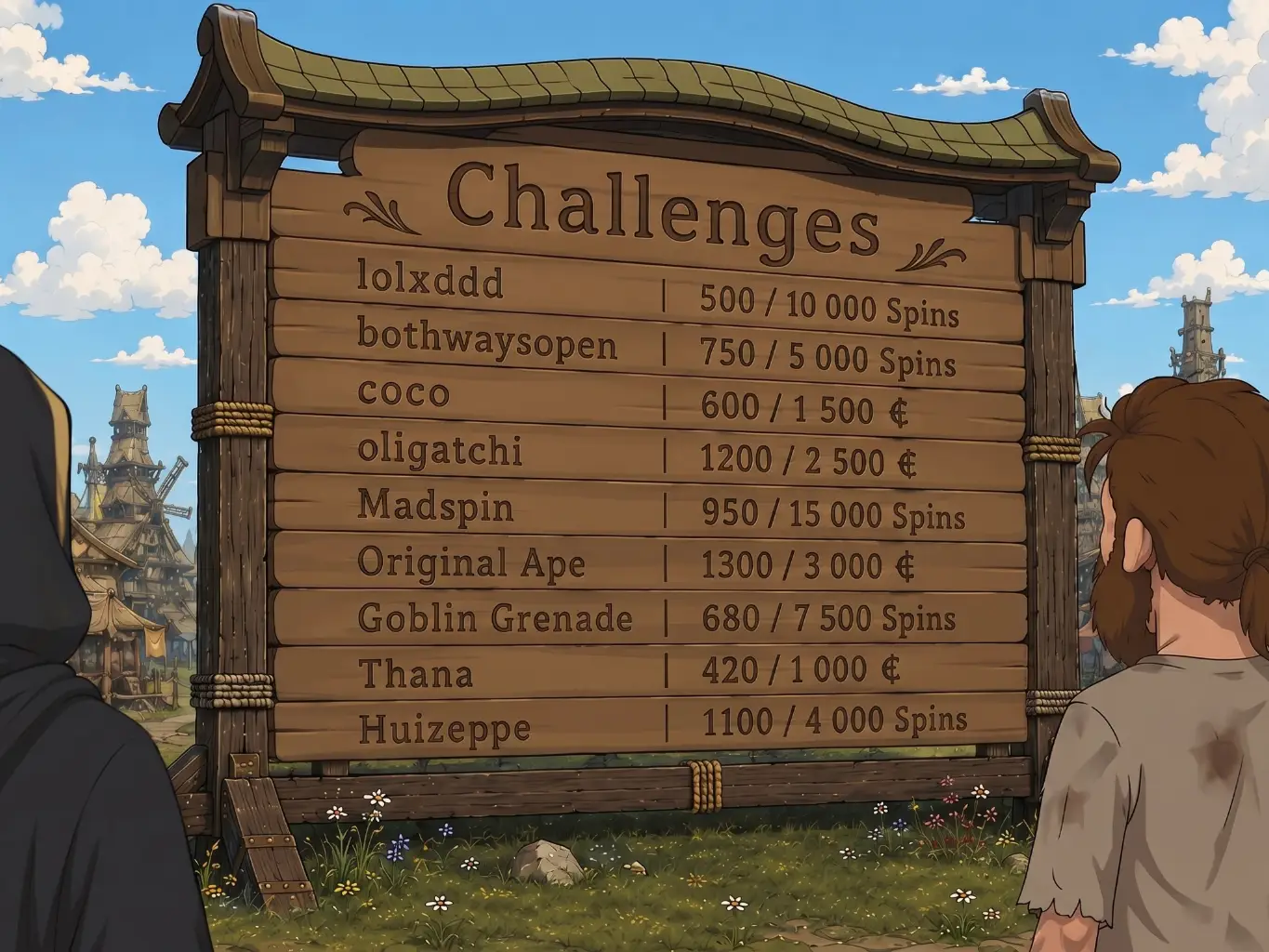
The two leaderboards of the previous chapters have one thing in common: you are not the one setting the rules. The XP Leaderboard adds up everything since you signed up, the Divisions start again every Monday and put you up against players of your own level.
Challenges take the problem from the other end: you choose the objective, the target and the deadline.
€1,000 of profit in two weeks?
€500 of EV Profit by the end of the month?
800 Spins before the 31st?
You announce the target, the tracker counts.
It all happens in the Challenges tab of the Competition page, right next to the leaderboards.
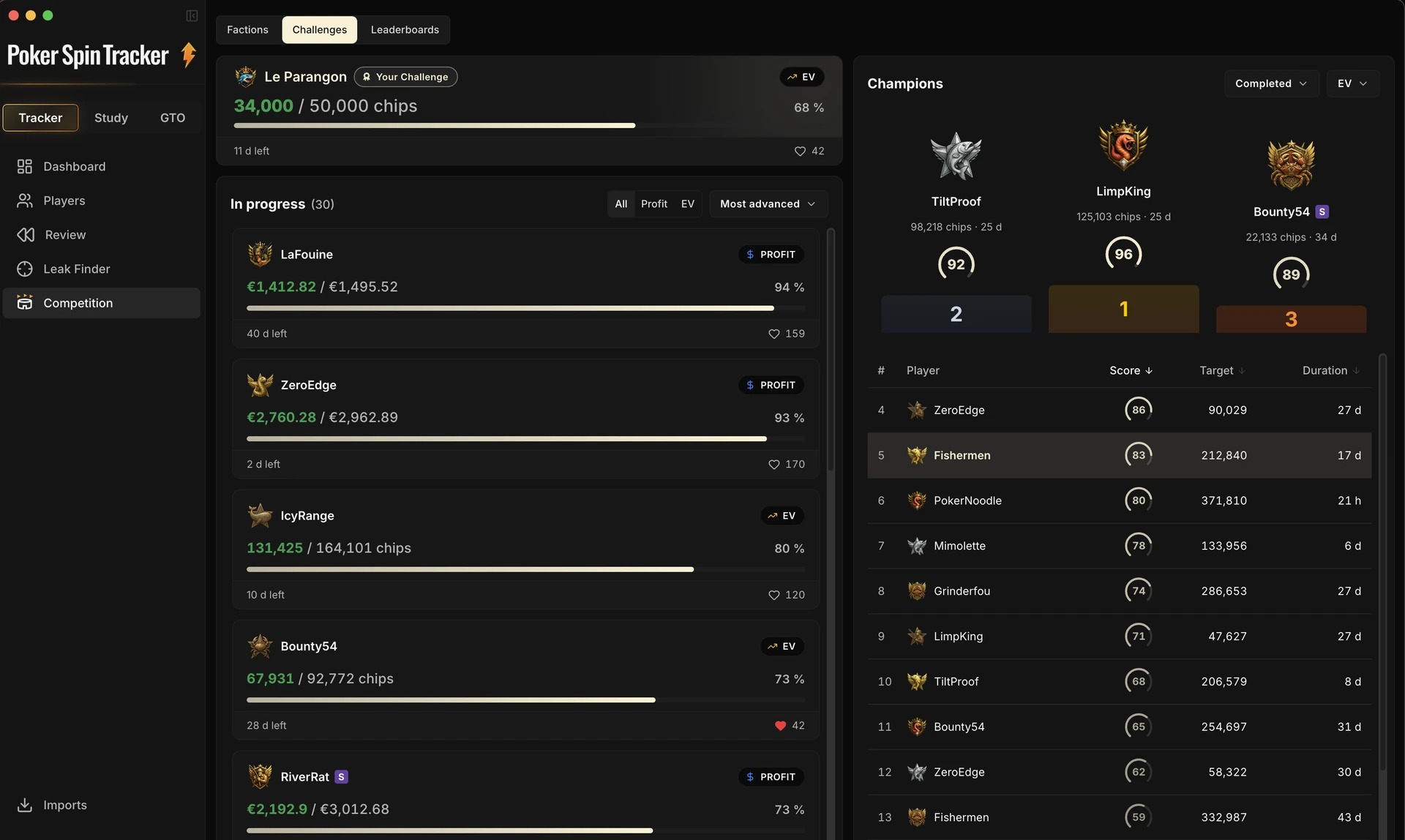
The Challenges tab: your challenge at the top, the community list on the left, Champions on the right.
The other players’ challenges shown here are demo data.
1. What a challenge is
A challenge is a target to reach before a date. Nothing more. Only four settings, chosen once and for all at launch:
| Setting | What you choose |
|---|---|
| Visibility | • Public: the community follows your progress. • Private: only you can see it. |
| Type | • Profit in euros • EV Profit in euros • Volume in number of Spins |
| Target and deadline | The target you aim for and the cut-off date. |
| Room and rakeback | The room the challenge is played on, and your rakeback rate. |
The counting window starts the moment you create it: the Spins already in your database do not count.
A challenge never re-reads your past: it measures what you are about to play.
You can only have one active challenge at a time, private or public. To start a new one, the previous one must be over (completed or failed), or you must have abandoned it.
This limit is deliberate: one target at a time, so a single bar to push up and a single question to ask yourself at the end of a session.
2. Private or public
This is the first choice when you create one, and the one that changes the most.
The private challenge
It never leaves your machine. No publication, no list, no Champions. In exchange, it can carry a name of your own (“July Winamax grind”), which the public one does not allow.
The public challenge
It is published. It appears in the In progress list that everyone browses, other players can like it, and if it succeeds, it makes it to Champions with a score.
The calculation engine is exactly the same in both cases: same counting, same progress bar, same graphs. Only the publication changes.
3. Profit, EV€ or Volume?
Every challenge rests on one objective: Profit, EV€ or Volume.
| Type | What pushes the bar up | Comment |
|---|---|---|
| Profit Challenge | The euros actually won, rakeback included: the blue curve of the Bankroll graph. | Pure grind, but also all the noise that comes with it: two big multipliers can do most of the work. |
| EV€ Challenge | The euros your games were worth, whatever multipliers were drawn and whatever luck you had on all-ins: the purple curve (EV Profit) of the same graph. | The compromise: a target in euros, but one that rises because you play well, not because a ×1,000 landed. |
| Volume Challenge | The number of Spins played over the window, quite simply. No curve, no euros: a counter. | Won or lost, Spins count the same. It is the only objective variance can neither hand you nor deny you: it depends on nothing but your sessions. |
A Profit objective can be met in one evening on a single jackpot, or never land despite weeks of good play. An EV€ objective cannot be handed to you: it only rises at the pace of your performance. A Volume objective leaves no excuse: it depends only on the time you put in at the tables.
How fast your tables run
On a Volume challenge, every Spin counts as one towards your progress: a target of 500 is met at 500 Spins played, Flash and Nitro included.
The distinction only shows up elsewhere: in the Champions score, every Spin weighs the time it kept your table busy, measured against a regular 4 min 40 Spin. A format that lets twice as many Spins through per hour and per table therefore weighs half as much. Without that weighting, tables you rush through would weigh as much as slow ones in the leaderboard.
| Format | Observed average length | Resulting weight |
|---|---|---|
| Regular Spin | 4 min 40 | 1 |
| Nitro | 2 min 38 | 0.57 |
| Flash | 2 min 09 | 0.46 |
Those lengths are ballpark figures, not a fixed scale: what counts is your table time, Spin by Spin. Two Flash games from different rooms do not run at the same speed, and they no longer weigh the same.
Spin & Go (PokerStars) and Spin & Gold (GG) are weighed like the rest. Their starting stack changes with the multiplier drawn, so the tracker cannot recognize a fast format there, but it no longer needs to: time can be measured everywhere.
The limits
| Setting | Minimum | Maximum |
|---|---|---|
| Profit target | €10 | €50,000 |
| EV€ target | €10 | €50,000 |
| Volume target | 50 Spins | 500,000 Spins |
| Deadline | Tomorrow | One year |
4. The room and the rakeback
A challenge is played on a single room, chosen at launch. Spins played anywhere else do not move the bar, even when they are imported into the same database.
The rakeback is entered as a percentage, and it is locked for the whole duration of the challenge. It is included in the profit, so it counts directly towards a Profit objective as well as an EV€ one.
That freeze is deliberate: if you change your global rakeback rate later in the tracker, the target of the running challenge does not move.
On the visibility side, only your rakeback percentage is public. The room of the challenge and the rakeback amount actually collected stay private, unless you choose to share the Rakeback stat. The full breakdown of what gets published is available below.
5. Following your progress
Once the challenge is launched, it takes top spot in the tab: a large card with the progress bar, the amount reached against the target, the countdown to the deadline, and the likes received.

Your progress is recomputed at every import, straight from your data. It is therefore up to date immediately, even offline.
The public version syncs periodically: other players may see a slight lag.

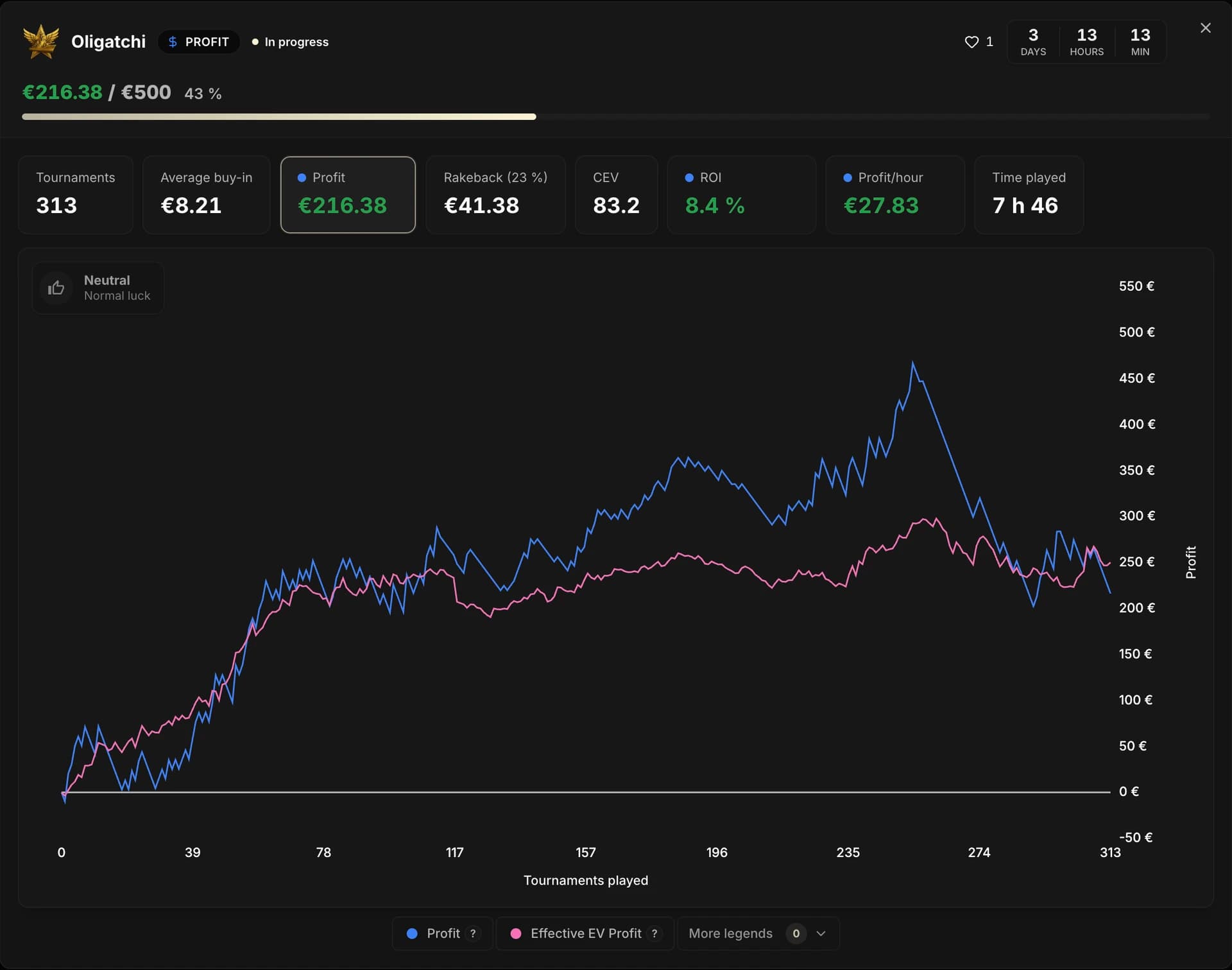
Click the card to open the challenge details: its stats and its graph at full size.
You will find the same landmarks there as in the Dashboard: Run Luck, confidence interval and key events. The CEV and Profit cards let you switch from chips won to bankroll.
The community challenges
The In progress list lets you follow how public challenges are doing.
Most ambitious does not mean “biggest number”. The ranking compares challenges of the same type by the target and the deadline chosen: the higher the objective and the shorter the deadline, the more ambitious the challenge.
6. Completed, failed, abandoned
A challenge always ends in one of these three ways:
| Outcome | What triggers it | What happens next |
|---|---|---|
| Completed | The running total reaches the target before the deadline. | Validation is instant during the import, from the very tournament that crosses the line. A public challenge then makes it to Champions with its score. |
| Failed | The deadline passes without the target being reached. | The challenge is closed at the amount reached. In public, it joins the Missed list, with its percentage. |
| Abandoned | You stop it yourself, at any moment. | The action is final. The challenge is archived, enters no leaderboard, and counts among the Missed. |
If you cross the target while the application is offline, nothing is lost: completion is still accepted up to 48 hours after the deadline, long enough for the network to come back.
7. Champions
On the right of the tab, Champions gathers the finished public challenges. Two views, filterable by type: Completed and Missed. Each type has its own leaderboard: a Volume challenge is never compared to a Profit challenge.
Completed shows a podium of the top three, then a table: player, score, target and duration.
The score
A number from 0 to 100 that measures how ambitious the challenge is, not your raw performance. It combines the target amount and the time you gave yourself, then compares the whole thing against the other completed challenges of the same type.
The higher the objective and the shorter the deadline, the closer the score gets to 100.
The Duration column is the announced duration (creation → deadline), not the time you actually took. What gets ranked is the ambition of the objective, not the speed of execution.
On a Volume challenge, the score is not computed on raw Spins but on the weighted volume: every Spin there is worth the time it kept your table busy (see section 3). Two players who both completed “500 Spins in 14 days” therefore do not get the same score if one played slow tables and the other rushed through them.
The detail is readable by hovering the score in the leaderboard: the tooltip recalls the weighting and shows the weighted volume actually used.
Missed gathers the failed and abandoned challenges. The tone is neutral, there is neither score nor podium, and the default sort is on the percentage reached at closing: an objective missed at 97% therefore lands right at the top.
Aiming very big over a very short deadline pushes the score up. It is also the surest way to end up in Missed: the two lists sit side by side, and that is exactly the point of the format.
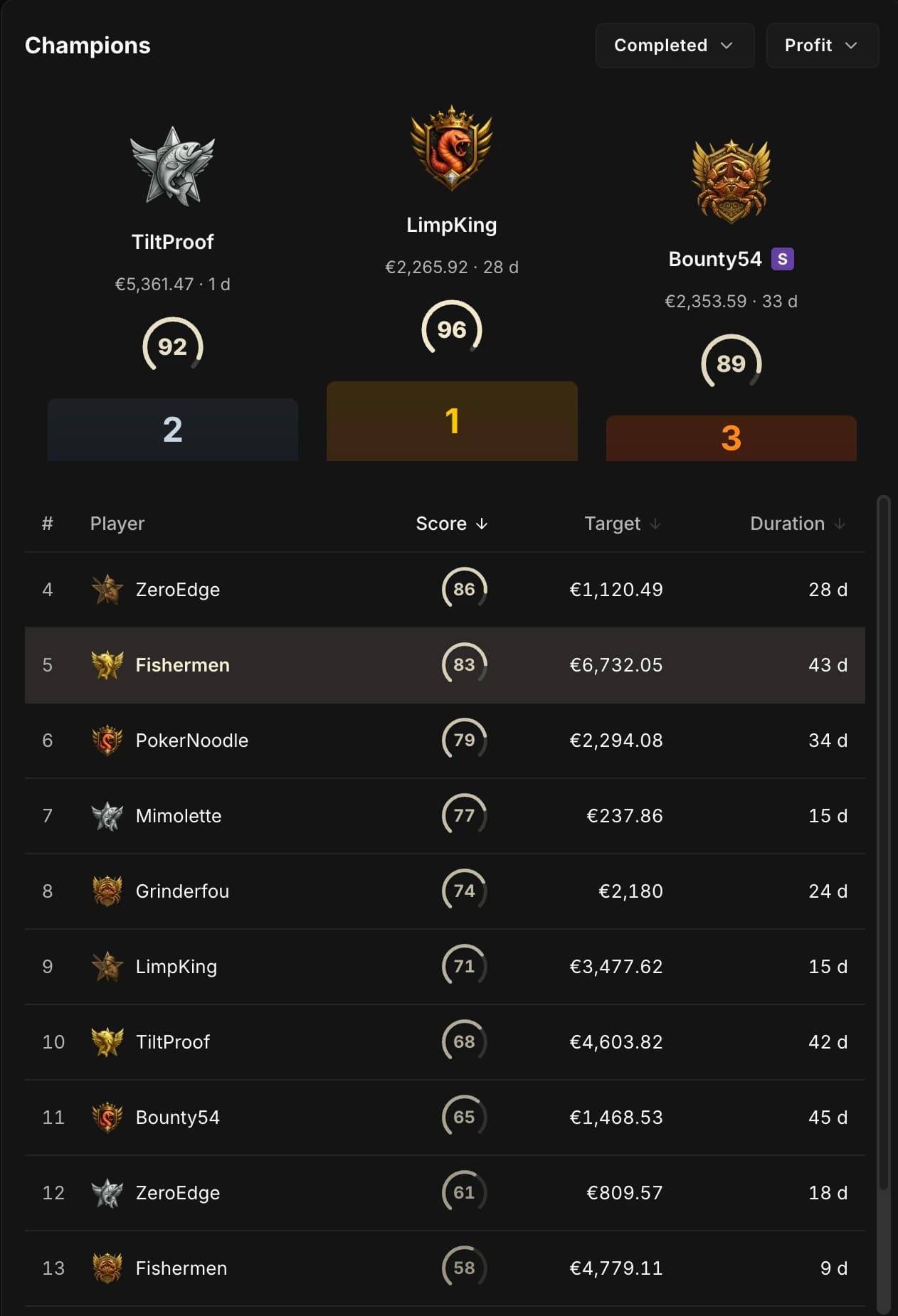
Champions, Completed view: the podium of the three best scores, then the full ranking. The Duration column is the announced duration of the challenge, not the time actually taken.
The ranking shown here uses demo data.
Conclusion
You now have the three horizons of competition in Poker Spin Tracker: the XP Leaderboard measures everything you have piled up, the Divisions measure your week against players of your own level, and the Challenges measure what you decided to aim for yourself.
All three tell the same story from three angles: volume played with attention, over time. What is left is how to keep all of that going without burning out, and that is exactly what the next chapter is about.