
Setting up your rakeback
Your rakeback is an integral part of your earnings: here's how to set it up without getting it wrong.

Gandalf
Co-founder of Poker Sciences

As promised in chapter 2.1, let's now see how to set up your rakeback in Poker Spin Tracker. It's one of the few settings the tracker asks you to enter manually, and it's important to get it right: this value feeds into the calculation of the 4 profit modes.
A badly configured rakeback means all your curves and all your projections become wrong. So let's take a few minutes to set it up properly.
1. Where and how to set up your rakeback
Rakeback is set directly from the Dashboard, in the input field of the Rakeback card. Simply enter your rate as a percentage (e.g. 20 for 20%).
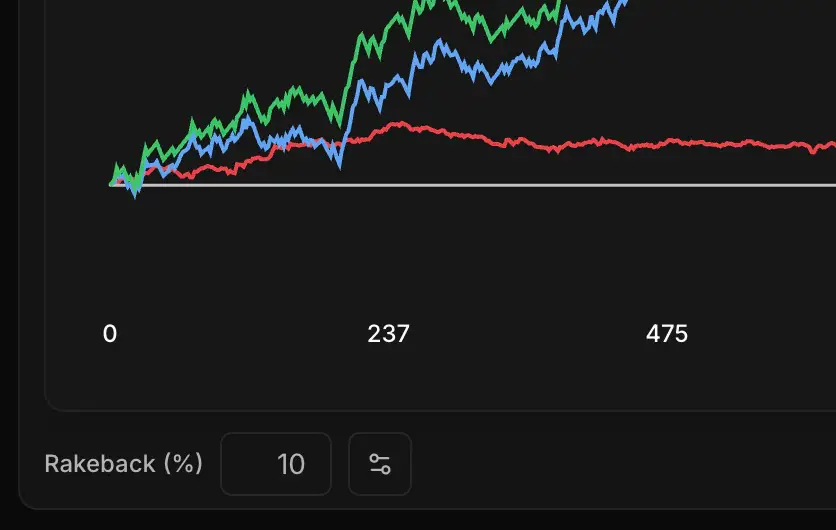
The tracker automatically recomputes all your curves as soon as you change the value. No need to re-import your hands.
Playing on several rooms? A settings button lets you define a different rate for each one. The tracker then automatically applies the right rate to each tournament based on the room it was played on.
A rakeback that changes over time?
Until recently, in Poker Spin Tracker, your rakeback rate applied to your entire history.
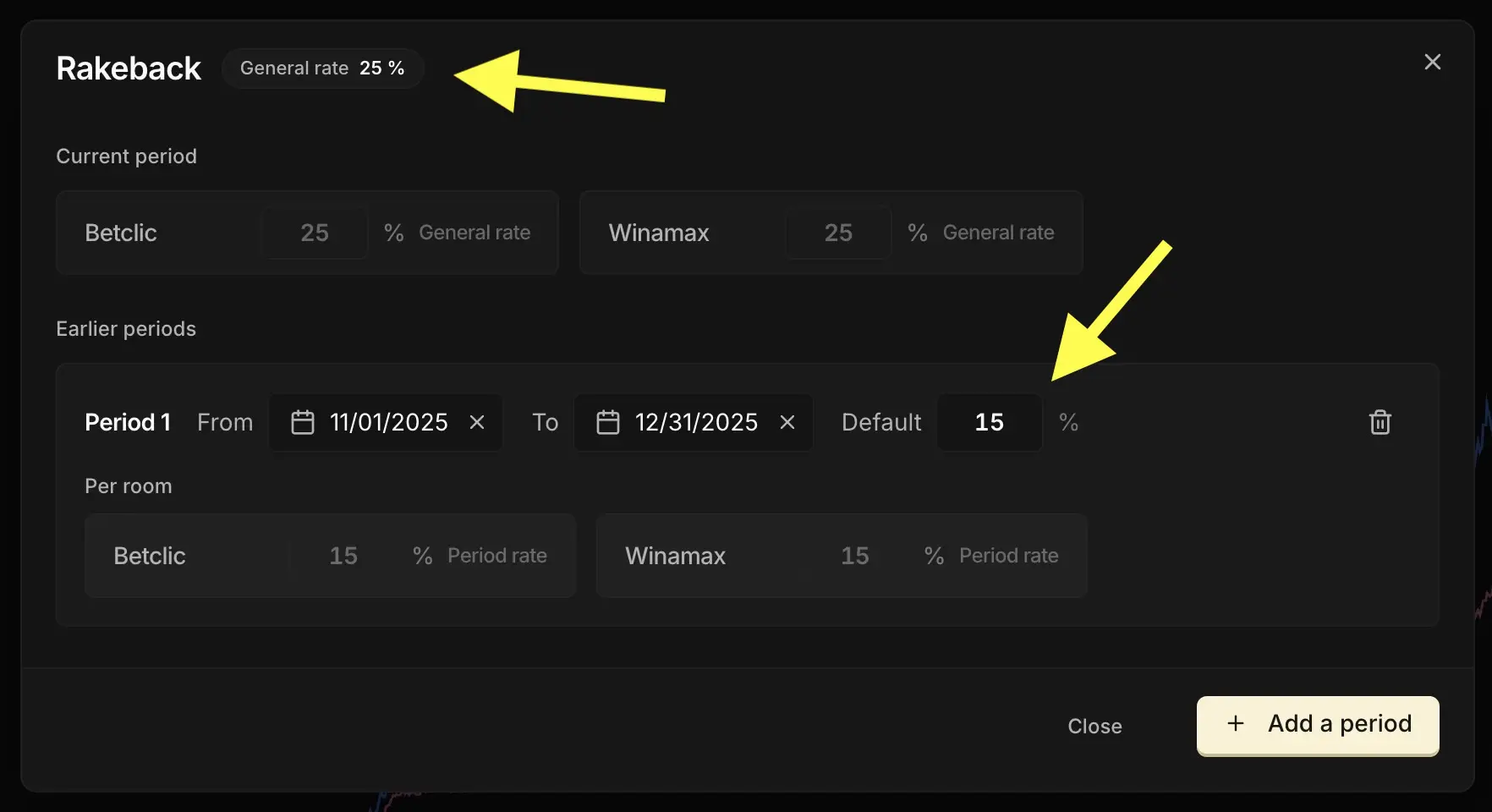
New in version 2 of Poker Spin Tracker: you can now define a rakeback per period. If you were getting 15% in November and December, then 25% the rest of the time, the tracker applies the right rate to each tournament based on its date.
Everything happens in the window this settings button opens. It comes in two parts:
- The Current period: your rakeback today, the one that applies by default
- The Earlier periods: as many date ranges as you need, each with its own rate
One click on Add a period, and you fill in the start date, the end date and the rate that applied back then. Each period also accepts a different rate per room.
2. Rakeback and effective rake: don't confuse them
Be careful not to confuse two related but clearly distinct concepts: the rakeback you just set up, and the effective rake we covered in the previous chapter. Let's go through it calmly, with a numerical example.
Rake
Every time you launch a Spin, the room takes a commission: the rake. On most rooms, it's about 7% of the buy-in. On a €10 Spin, that gives:
- €9.30 is redistributed among the players through the multipliers
- €0.70 goes into the room's pocket
Rakeback
Rakeback is the share of those €0.70 that the room gives back to you, depending on your deal. With a 10% rakeback, the room pays you back 10% of €0.70 = €0.07 per Spin. It's the setting you just configured in the tracker.
Effective rake
Effective rake is the real rake you actually pay in practice. And it isn't necessarily equal to the 7% advertised by the room.
Why? Because, as we saw in the previous chapter, out of the €9.30 supposedly "redistributed", a share is in fact reserved for the big multipliers (x1000, x2500, x10000) that you'll probably never hit at your volume. That share, you won't see it come back into your bankroll. Effectively, it behaves like extra rake: money that goes out and never comes back.
Bottom line: your effective rake can climb to 10%, 12%, sometimes more, depending on your room and your volume. And it's this value, not the advertised 7%, that truly weighs on your earnings.
| Concept | What is it? | Who decides it? |
|---|---|---|
| Rakeback | What your room gives back to you (cashback, bonus, tickets) | Your deal with the room. You enter it in the tracker. |
| Effective rake | The rake you actually pay given your volume | Automatically computed by the tracker (see Effective EV Profit in the previous chapter). |
Rakeback comes on top of your earnings: it's money the room gives back to you. You can change it by switching rooms, by increasing your volume to reach a higher tier, or by going through an affiliate system.
Effective rake, on the other hand, you can't really adjust directly: it depends on the multiplier distribution of your room and on the volume you play. That's what makes the pink curve Effective EV Profit lower than the purple curve EV Profit on small and medium samples.
Key takeaways
Rakeback is one of the few settings you have to enter by hand in the tracker. A small but worthwhile effort, since rakeback affects all your profit curves.
• Where: in the input field at the bottom-left of the Dashboard. Optionally with a different rate per room, and since version 2, a different rate per period.
• Don't confuse: rakeback (what the room gives back to you, which you enter) is not effective rake (the rake you actually pay given your volume, computed by the tracker).