
The Filters panel
The Filters panel and Action Lines: how to isolate any situation, down to the precise action sequence.

Gandalf
Co-founder of Poker Sciences
The Filters panel lets you either run a one-off search (find a targeted spot you want to revisit), or lay the groundwork for building a Quick Filter when you identify a precise spot you will want to analyze session after session.
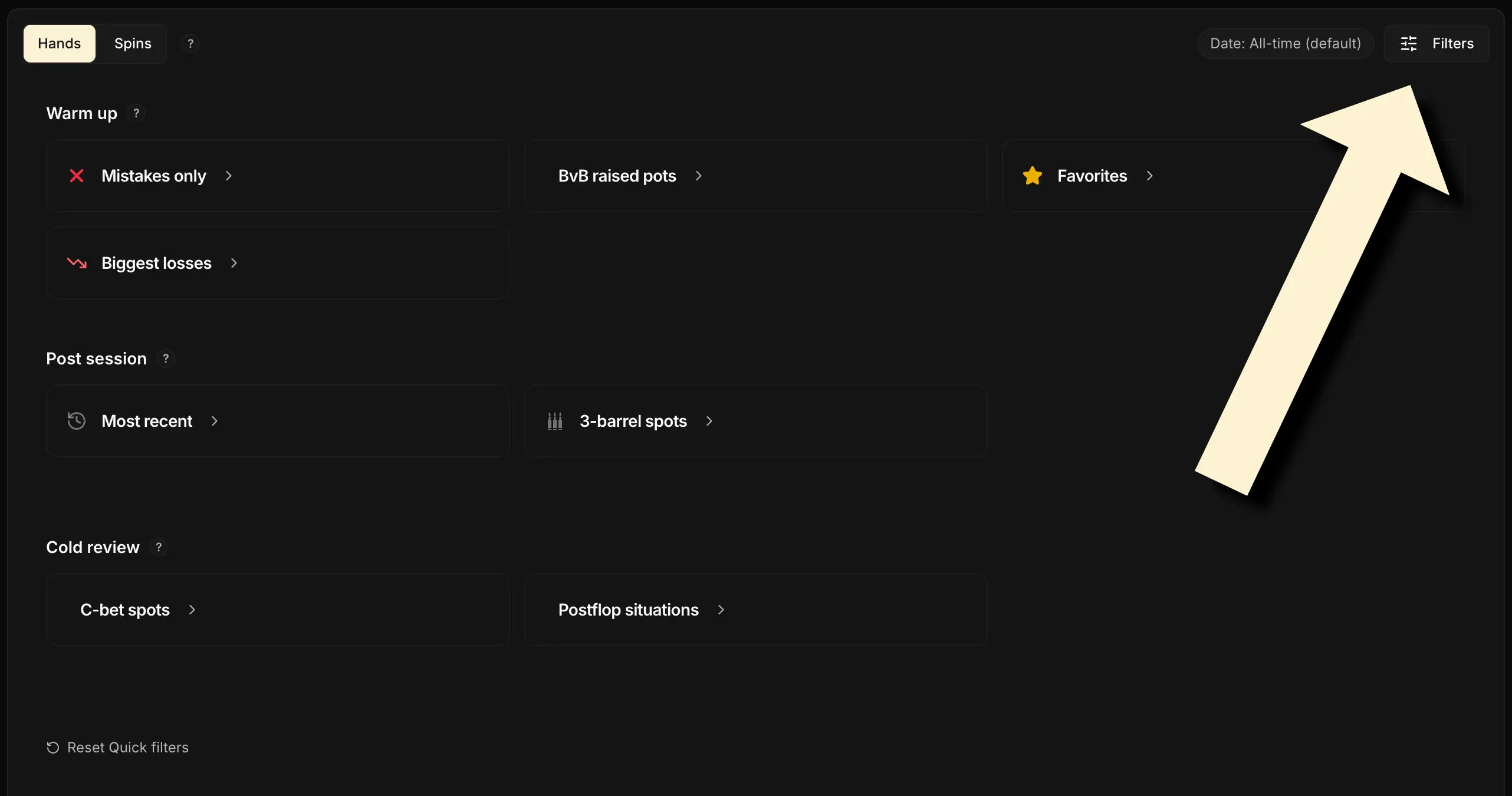
Clicking the button at the top right of the screen opens the Filters panel. It is split into tabs, each one covering a type of criterion.
Some tabs are shared between the Spins and Hands views; others, more granular (position, stack, spots, cards, action line…), only exist in the Hands view, because a hand carries that information whereas a whole tournament does not. At the very bottom, a field lets you name the filter combination to save it as a Quick Filter.
1. What you can filter
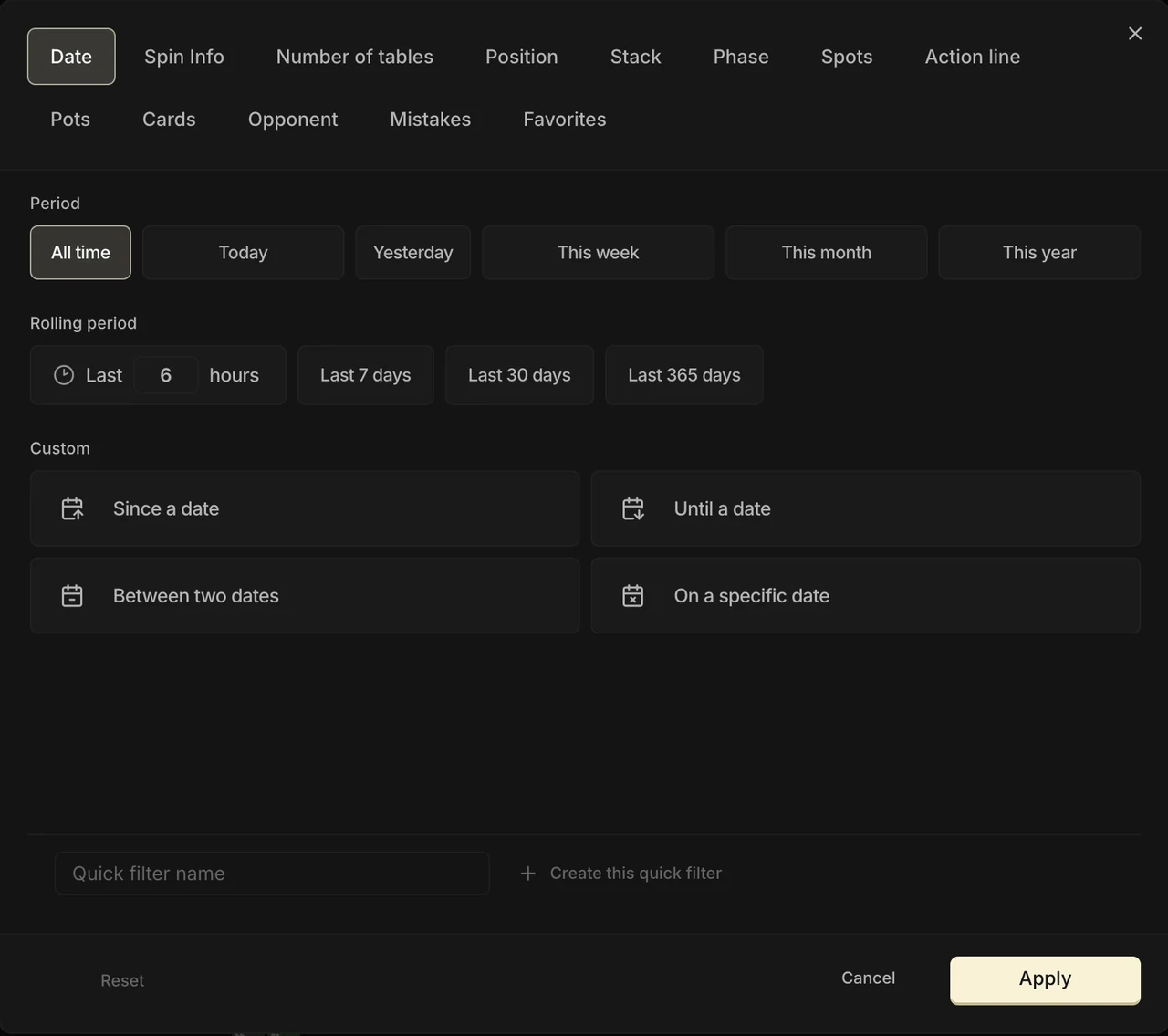
As mentioned earlier, the panel is split into tabs. Here is what each one covers, with a typical use case:
| Tab | Available filters | Example |
|---|---|---|
| Date | Playing period: shortcuts (Today, This week…), rolling period (last 7 / 30 / 365 days) or custom dates. | Keep only this week's hands. |
| Spin Info | Tournament metadata: buy-in, multiplier, Spin type, room, plus search by game ID or hand ID. | Keep only your €5 Spins played on Winamax. |
| Number of tables | Number of tables played simultaneously (multi-tabling) at the time of the hand. | Isolate the hands you played on 4 tables or more. |
| Position | Hero's position at the table, with “vs” sub-options when relevant (BTN vs SB, BB vs SB+BTN, HU SB…). | View only your hands played in BB in HU. |
| Stack | Effective stack range (in bb). | Keep only spots at 15 bb or less. |
| Phase | Street where your hand ends. | Isolate the hands that went all the way to the river. |
| Spots | Hero's postflop role: aggressor (C-bet, 2/3-Barrel, Delay C-bet, vs Donk…) or defender (vs C-bet, Donk, Probe…). | View only your flop C-bets. |
| Action line | The precise action sequence, street by street. The most powerful filter of them all, detailed right after. | Isolate the hands where you get raised all-in on your 2-barrel. |
| Pots | Type of pot built preflop: Limp pot, Single raise pot, 3-bet pot or ISO pot. | Keep only 3-bet pots. |
| Cards | Hero cards (selector across the 169 combos) and board (flop / turn). | View only your AA and KK. |
| Opponent | Opponent faced: all of them, a type (fish, reg, custom tag) or a specific player searched by screen name. | View only your hands against one specific reg. |
| Mistakes | The Mistakes only filter: keep only the hands where your preflop decision departs from your reference chart (Study Pack). | Show your out-of-range preflop hands. |
| Favorites | Keep only your favorite hands, or one specific color group. | Find the hands you starred. |
The Date, Spin Info, Number of tables and Opponent tabs are shared with the Spins view. All the others are specific to the Hands view, because they work at the scale of an individual hand.
2. Action Lines
Here comes the most technical filter in the panel, but also the most powerful: once you get the principle, you can find any sequence of actions. It now has its own tab: Action line.
This part isn't especially aimed at beginner players. If you're just starting out, you'll have plenty of time to come back to it later.
The filters seen so far describe situations (which position, which pot type, which stack). They cannot say “which precise actions followed one another”.
That's exactly what Action Lines allow: filtering a precise action sequence, street by street.
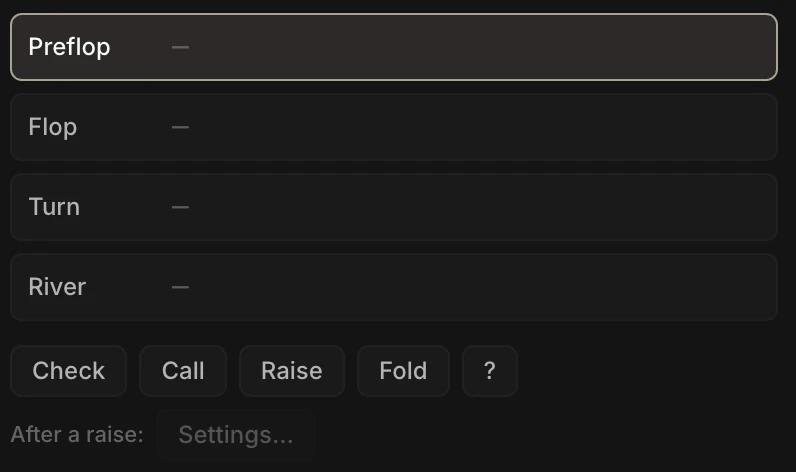
You build the line by clicking. The tab shows one bar per street (Preflop, Flop, Turn, River). You click a bar to select it: a row of buttons then appears just below, and each click adds an action to the end of the line, which shows up in real time in the bar.
The basic notation
The idea is simple: you list every action of the street in order, starting from the first player to act. The line describes the street in full: it only keeps the hands whose sequence matches exactly, action for action. The available buttons are Check, Bet, Call, Raise and Fold (preflop there is no Bet: you raise). The ⌫ key clears the last action added.
| Button | In the bar | Meaning |
|---|---|---|
| Check | `X` | A check. |
| Bet | `B` | A bet (postflop; preflop it is a raise). |
| Call | `C` | A call. A preflop call, when it opens the action, is a limp. |
| Raise | `R` | A raise (open, or 3-bet). |
| Fold | `F` | A fold. |
| ? | `?` | Line-ending wildcard: any continuation of the street. |
The “?” button is worth a word of explanation: it closes the line and means “any continuation”. Everything placed before it must match exactly; from the ? on, the street can play out any way it likes (including ending right there). Example: “a bet, then whatever follows” is built by clicking Bet then ?, which gives B ? in the bar. Once the ? is placed, nothing can be added after it: the ⌫ key removes it to reopen the line.

Specifying the size of a bet or a raise
By default, a Bet or a Raise accepts any size. To narrow it down, a second row shows an “After a bet or raise:” setting (“After a raise:” preflop), which becomes “On the bet:” or “On the raise:” once the bet or the raise is placed. As soon as the last action is a bet or a raise, the Settings… chip becomes available. One click opens a small window to size that particular bet or raise.
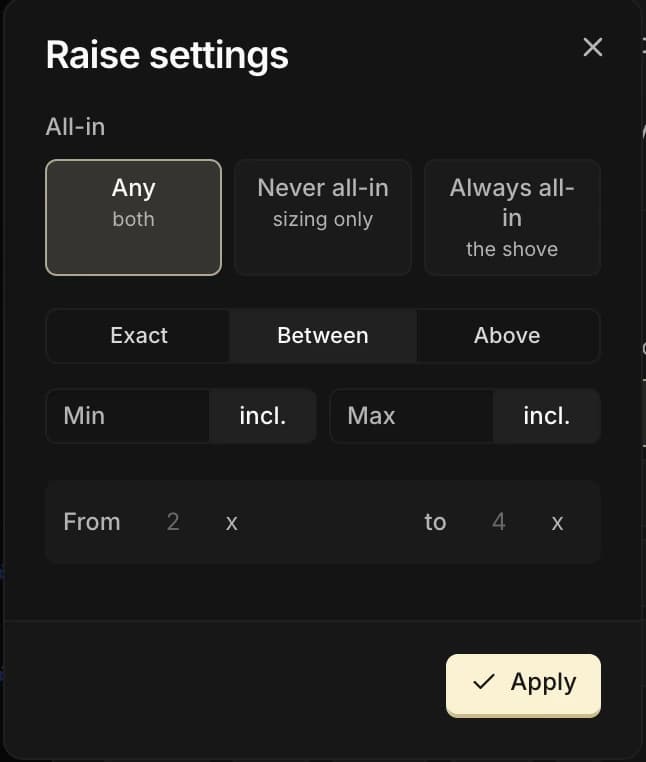
Two settings live side by side there:
- All-in: Any (a shove counts like any other bet or raise), Never all-in (a bet or raise that is not a shove) or Always all-in (the shove only). In Always all-in, there is no size left to specify: a shove puts the whole stack in. In the bar, an all-in bet or raise gets an
A(RA), and a Never all-in one a∅(R∅). - The size range: Exact (one value), Between (a min and a max) or Above (from a threshold), including or excluding each bound. Preflop is set in x (the total raise amount, in big blinds); postflop in % of the pot or in x of the previous bet.
A few examples
Once the line is built, the bar shows a compact summary of the sequence (the letters X B C R F, the wildcard ?, and the size in brackets when there is one). Here are a few examples of sequences and what they isolate:
| Street | Resulting line | What it isolates |
|---|---|---|
| Preflop | `R C` | A raise (open) followed by a call. |
| Preflop | `C R C` | A limp, a raise (iso), then a call. |
| Flop | `X B C` | Check, bet, call. |
| Turn | `B ?` | A turn bet, then any continuation. |
| Flop | `R[2;4]x` | A flop raise sized between 2x and 4x the bet faced. |
Action Lines are only available in the Hands view: the Spins view reasons at the tournament scale and has no individual actions to filter.
A complete example: isolating a precise spot
Say we want to study the times we got raised all-in on our 2-barrel in BTN vs BB. We build one line per street:
| Street | Action line | Reading |
|---|---|---|
| Preflop | `R F C` | BTN opens, SB folds, BB calls |
| Flop | `X B C` | BB checks, BTN bets, BB calls |
| Turn | `X B RA` | BB checks, BTN 2-barrels, BB raises all-in |
To go faster, you can often trim the preflop line by setting the position in the Position tab instead: you target the same spot with fewer clicks.