Detect and replay your preflop mistakes
Find your preflop mistakes, see where they repeat, then replay them.

Gandalf
Co-founder of Poker Sciences
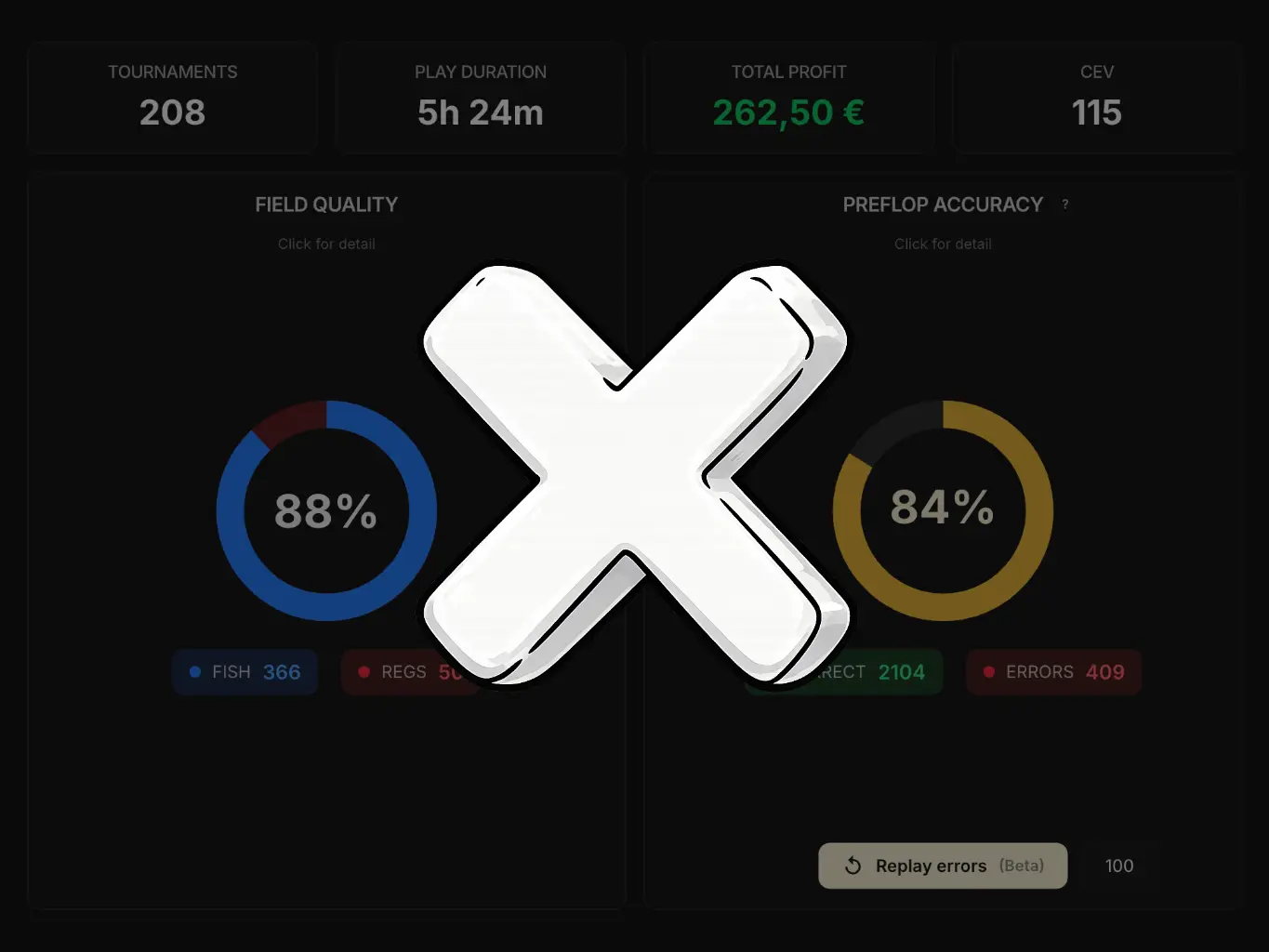
On every import, the preflop mistake detector does the sorting automatically: out of every hand you play, it isolates the ones where you deviated from your reference preflop chart (we will come back to the notion of reference chart further down), for each position.
No need to guess where you misplayed: Poker Spin Tracker analyzes your hands and points you straight to the spots worth reviewing.
This is one of the rare Poker Spin Tracker features partly reserved for Study Pack owners, because it leans directly on its charts to compare your decisions against the reference strategy.

1. Where you see the detector
The preflop mistake detector shows up in three places in Poker Spin Tracker. The first two were already covered in the chapters Hands view or Spin view? and The Filters panel, so we won't go back over them in detail.
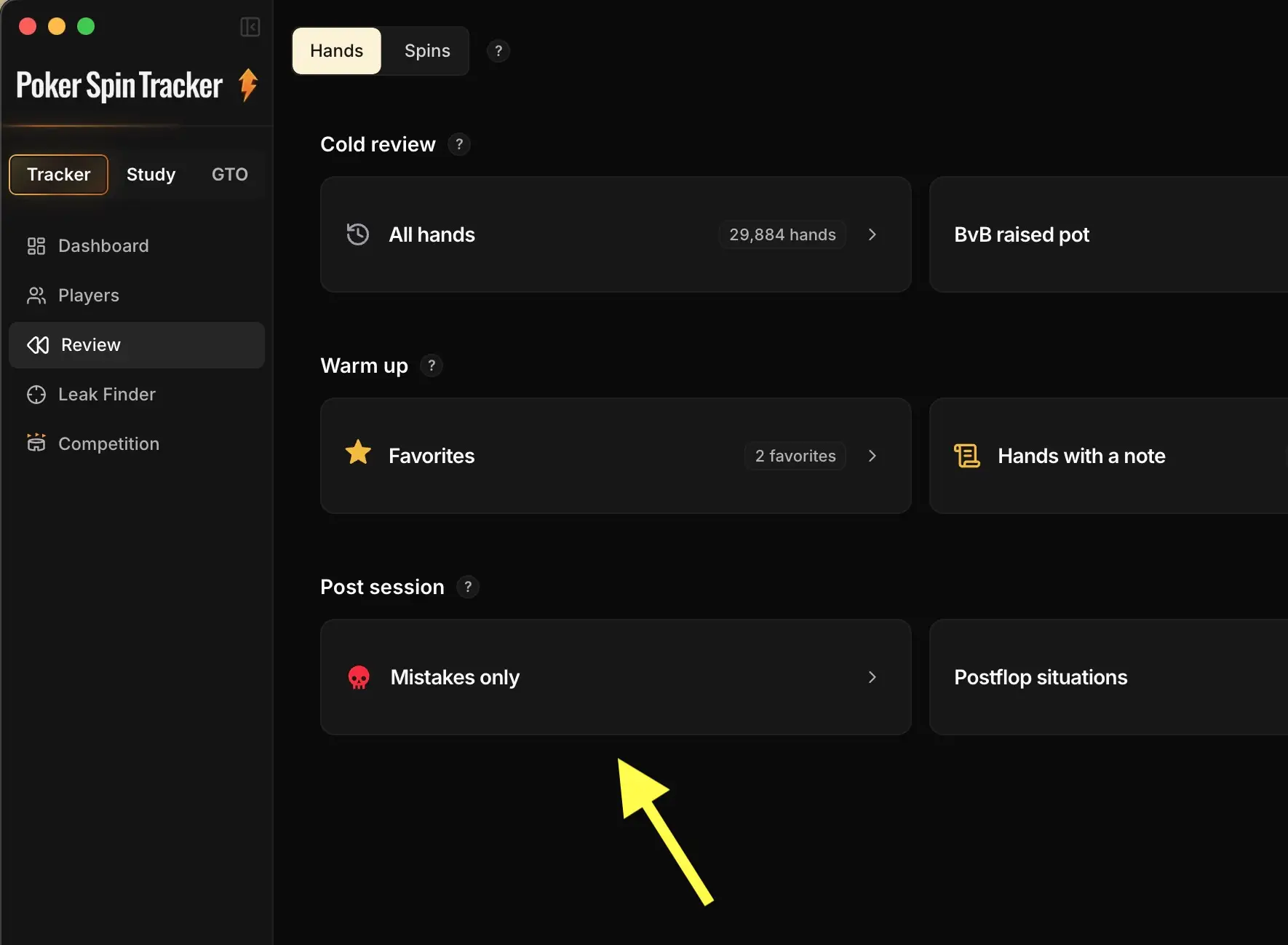
1. In the Mistakes only Quick Filter
The Mistakes only Quick Filter turns on a mode where only the hands flagged as mistakes appear in the table. It is the fastest shortcut to gather the hands worth reviewing.
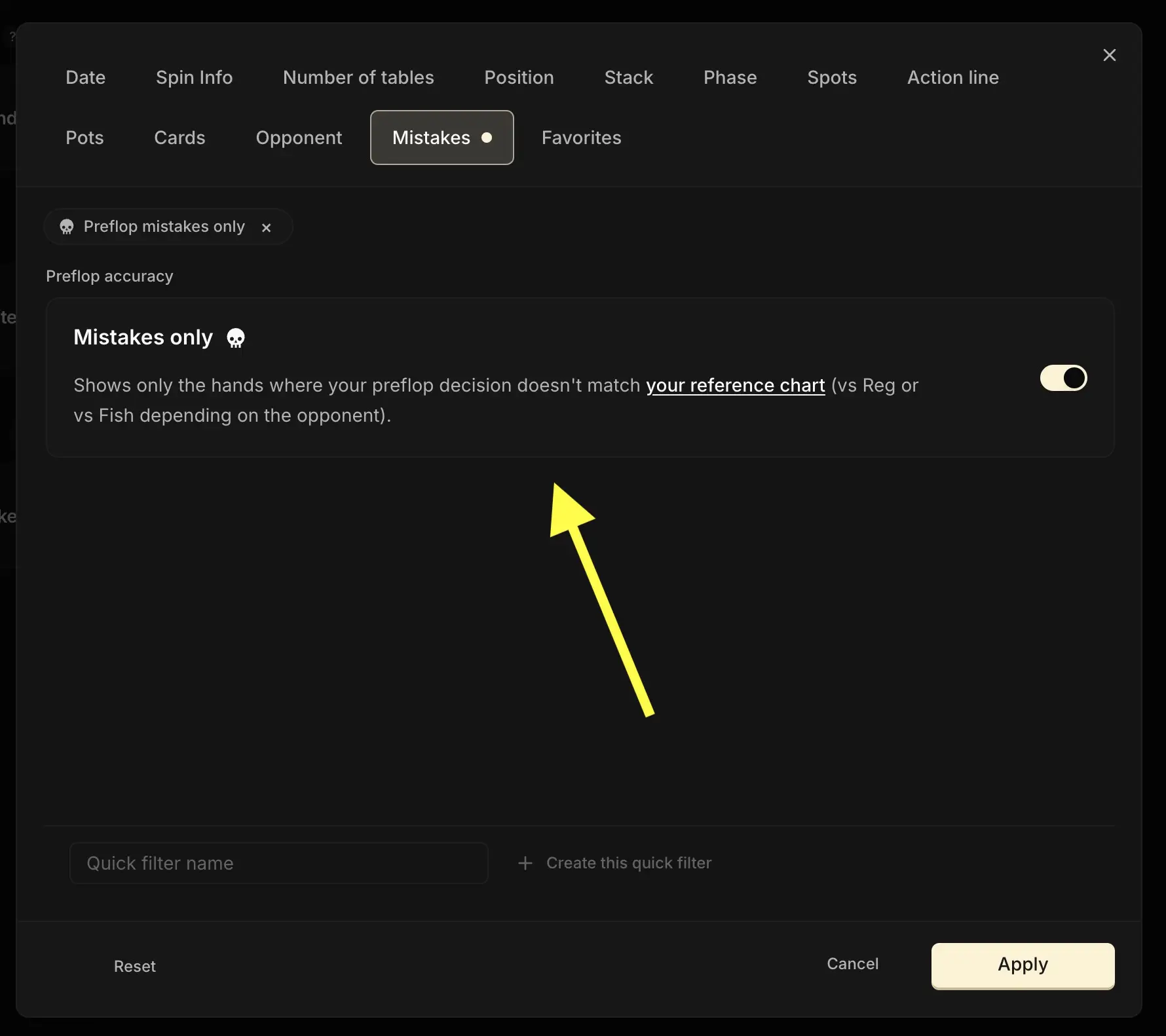
2. In the Filters panel
The exact same filter also lives in the Filters panel: just click the Mistakes tab.
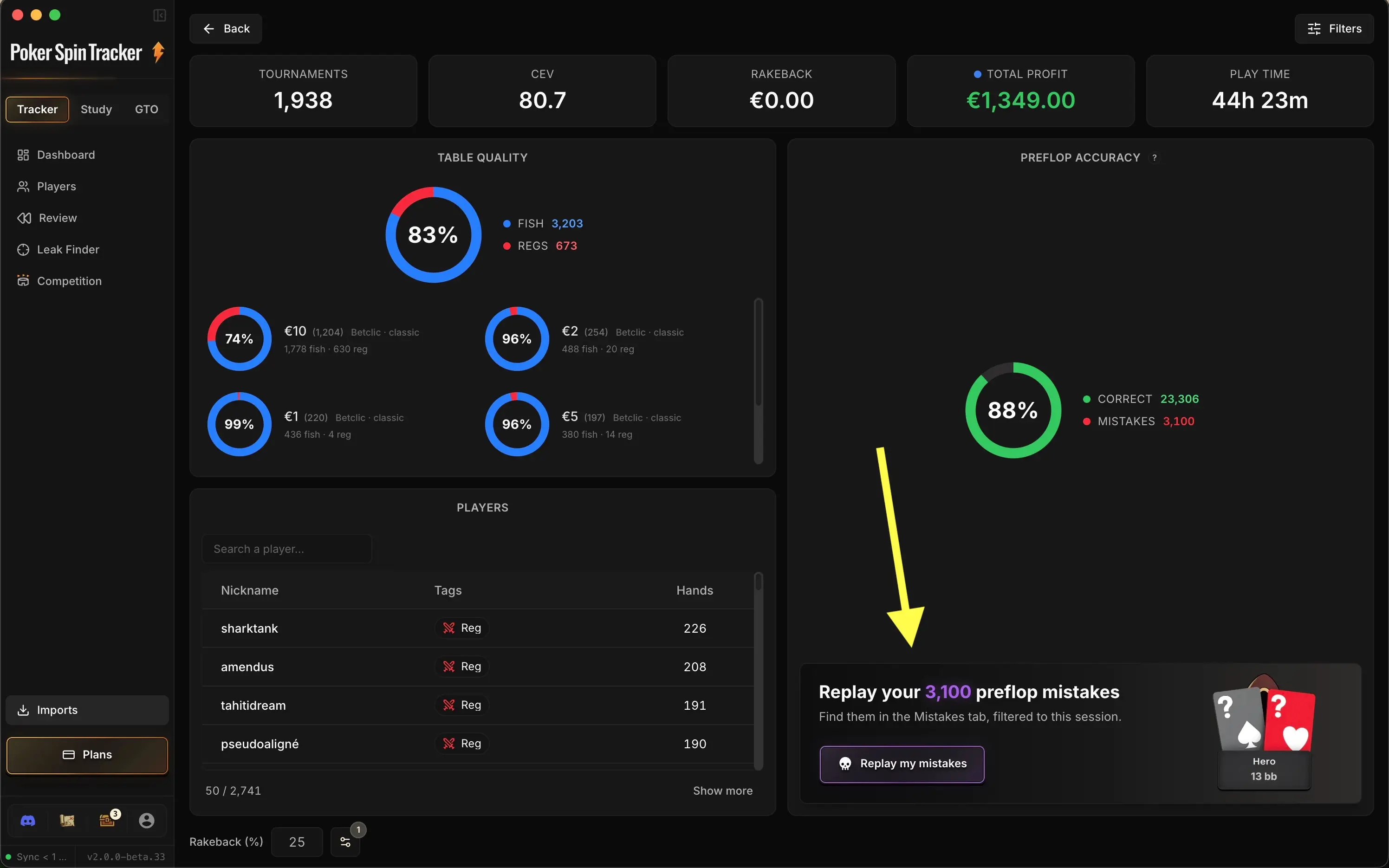
3. In the import summary
After every import, a Preflop Accuracy panel sums up how accurate you were on the imported hands: an overall score, split between Correct and Mistakes. From there, the Replay my mistakes button sends you to the Trainer's Mistakes tab, filtered on that session, for the situation-by-situation detail and the fixing.
Don't worry, all the detail is coming further down in this chapter.
2. Why (and how) to use it
The goal is simple: come back to your preflop mistakes on a regular basis to spot the deviations that keep repeating, then fix the reflexes that are costing you chips.
A word of caution though
Not every flagged mistake is really one. Deviating from your reference chart to exploit a specific opponent (a fish who folds too much, a reg whose tendency you have read...) is a perfectly legitimate choice, and the detector has no context to tell the difference.
So the right reflex is to step back from every flagged mistake, and to clearly tell a genuine mistake apart from a deliberate exploit.
We tend to recommend aiming for an 85% accuracy rate. Aiming for 100% is illusory, and even counter-productive.
3. How a mistake is detected
The rule is simple and binary:
A preflop action is flagged as a "mistake" if its frequency in the reference chart is zero.
Two practical consequences:
- An action played at a 0.5% frequency for that hand: not a mistake. Rare, but present.
- An action never allowed for that hand: mistake, even if it looks reasonable in the moment.
Take an example: in HU SB 7-8 bb vs Reg, say your chart only allows Call with J3s.
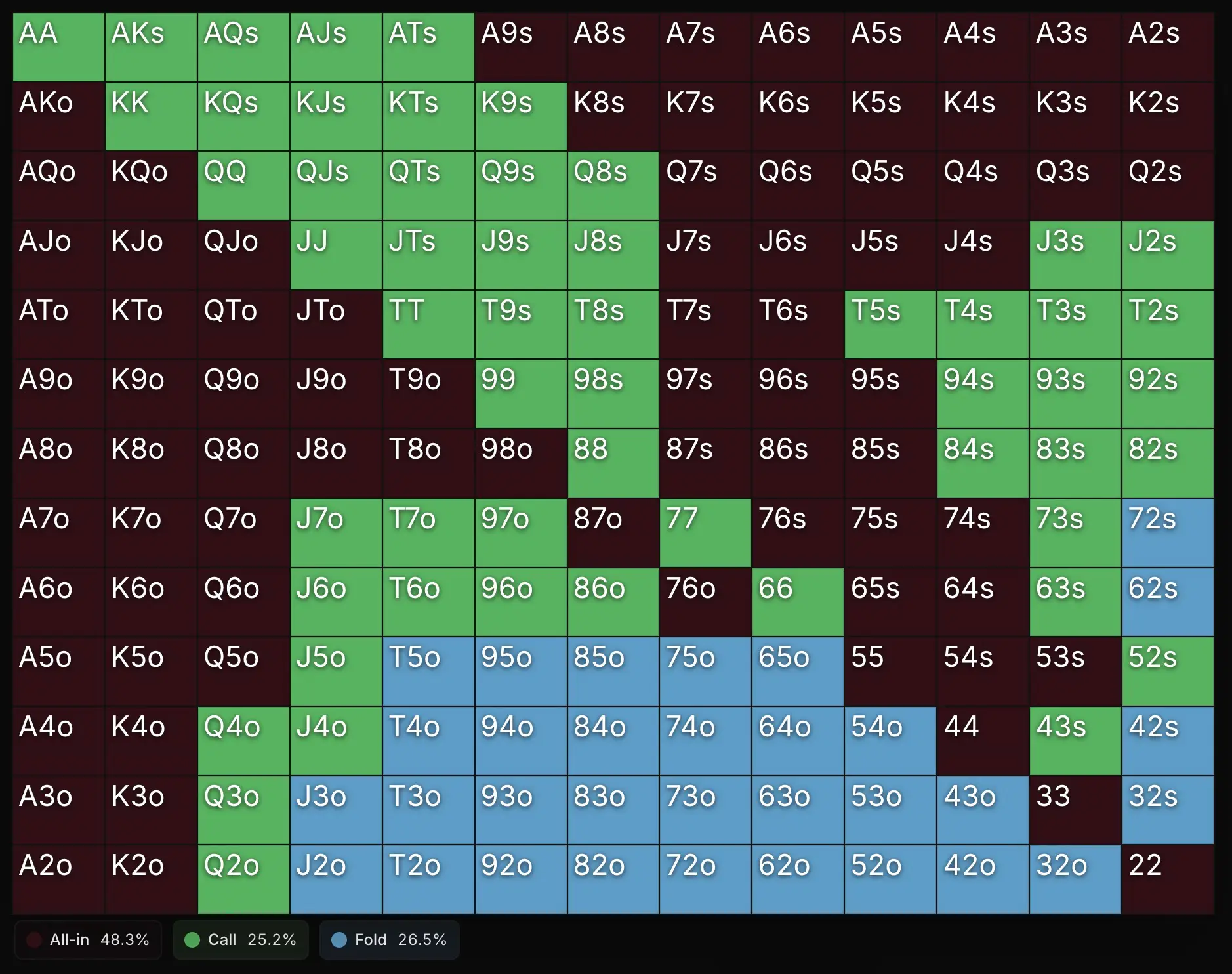
Going All-in in this exact situation therefore counts as a mistake.
There is no intermediate warning threshold, no gradation. Either the action is allowed for that hand in the chart, or it is not. That simplicity makes the detector sharp, but also entirely dependent on the reference chart used.
By default, the tracker uses:
- The GTO charts against regs
- The Exploit charts against fish
These default charts are the Poker Sciences ones, and they stay available in your Chart Library.
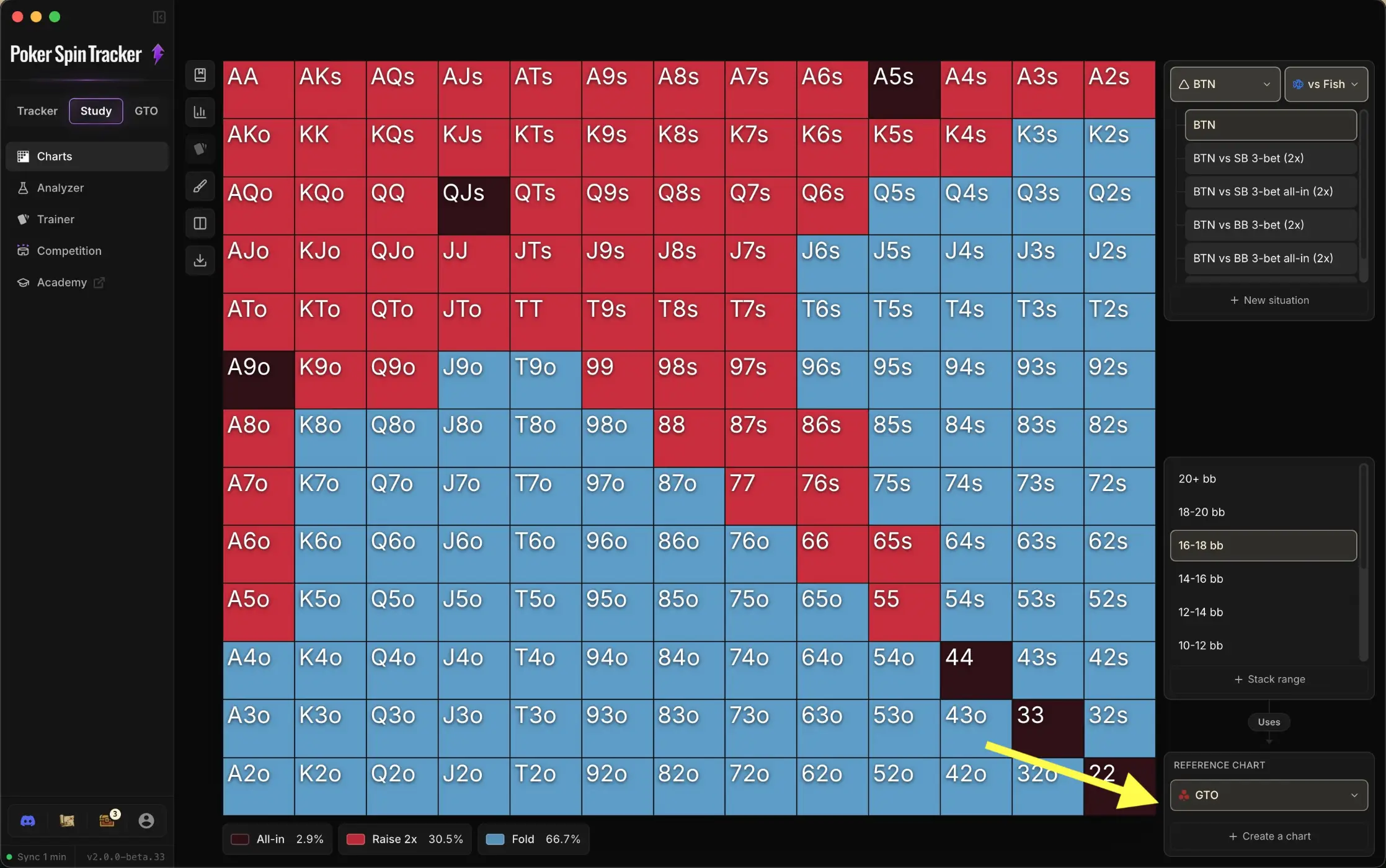
Every combination of situation and stack bucket (blind level, e.g. 6-8 bb) has its own reference chart.
For example, an HU SB 7-8 bb vs Reg chart is not the same as an HU SB 12-14 bb vs Reg chart. The detector therefore compares your action to the exact chart of the spot you played, not to a generic preflop chart.
With the Study Pack, as soon as you create custom charts (covered in Module 6), they automatically replace the default reference for the situations involved. The detector then lines up with your strategy.
It is a self-coaching tool: you tell it what you want to play, it tells you when you don't.
If you don't have the Study Pack, the tracker still uses the Study Pack default charts automatically to compute your preflop accuracy. You just can't customize them, nor see exactly what those mistakes are.
Two-decision situations deserve a word
An example: in 3-max, BTN opens, then faces a 3bet. The detector first tests your opening decision (should I have opened this combo?), then, separately, your reaction to the 3bet. If there is a mistake, it assigns it to the step involved and points to the right chart in its popover.
4. The import summary
The import summary shows up automatically at the end of an import. If you would rather skip it, a preference in your account lets you turn it off once and for all (and turn it back on later if the urge comes back).
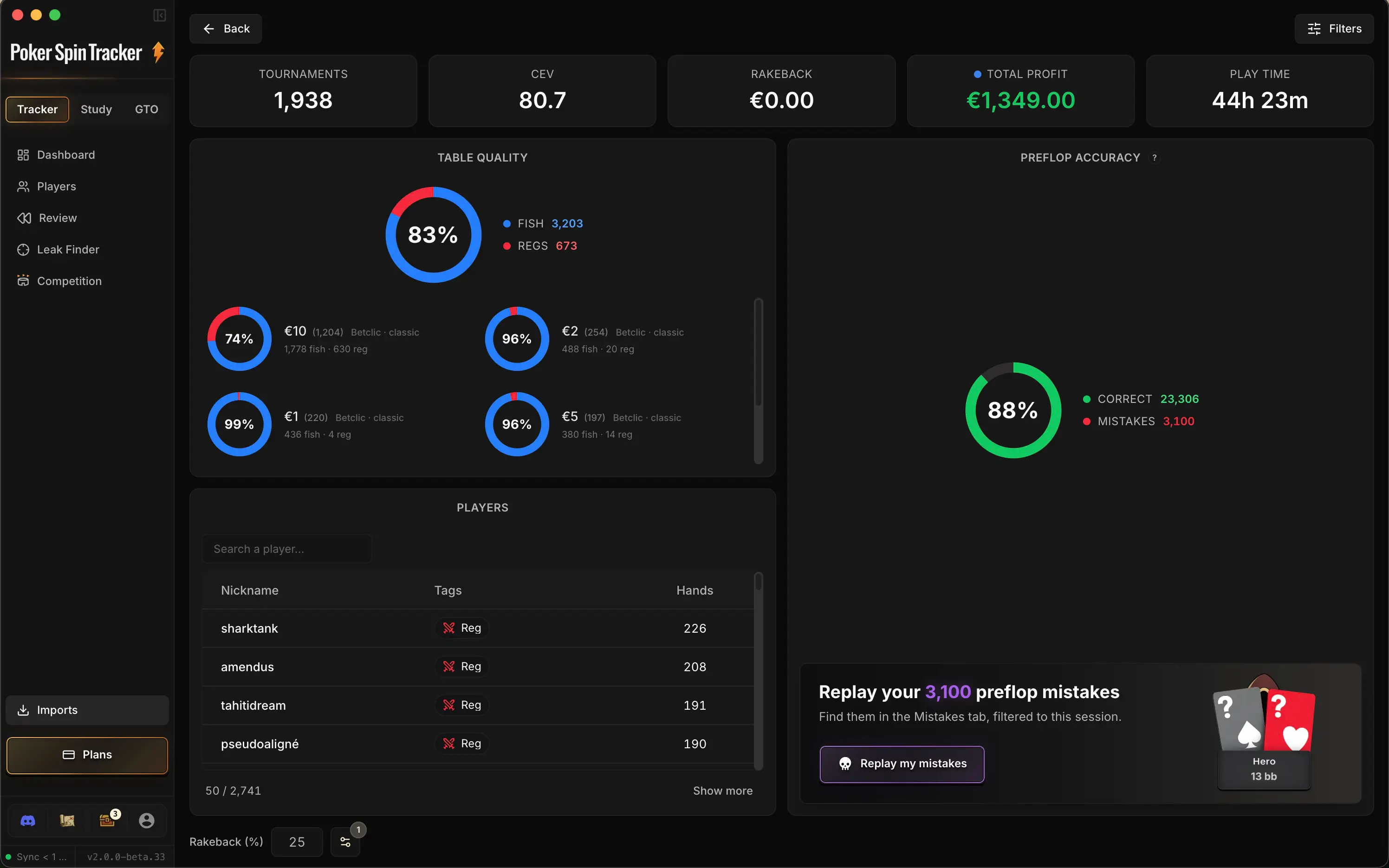
Its structure, from top to bottom:
- Five KPIs as tiles: Tournaments, CEV, Rakeback, Total Profit and Play time. Three of them are clickable and unfold a graph right below: Tournaments (breakdown by buy-in), CEV (chip curve) and Total Profit (bankroll curve).
- Table Quality: a global donut showing the fish/reg ratio you faced during the import, with the breakdown by buy-in right underneath (we will look at this in more detail in Module 8).
- Players: the list of opponents you ran into during the import, with their tags.
- Preflop Accuracy: the panel that concentrates the diagnosis of your mistakes (next section).
5. Accuracy in the import summary
The import summary gives you direct access to the preflop mistake rates of the hands you just imported.
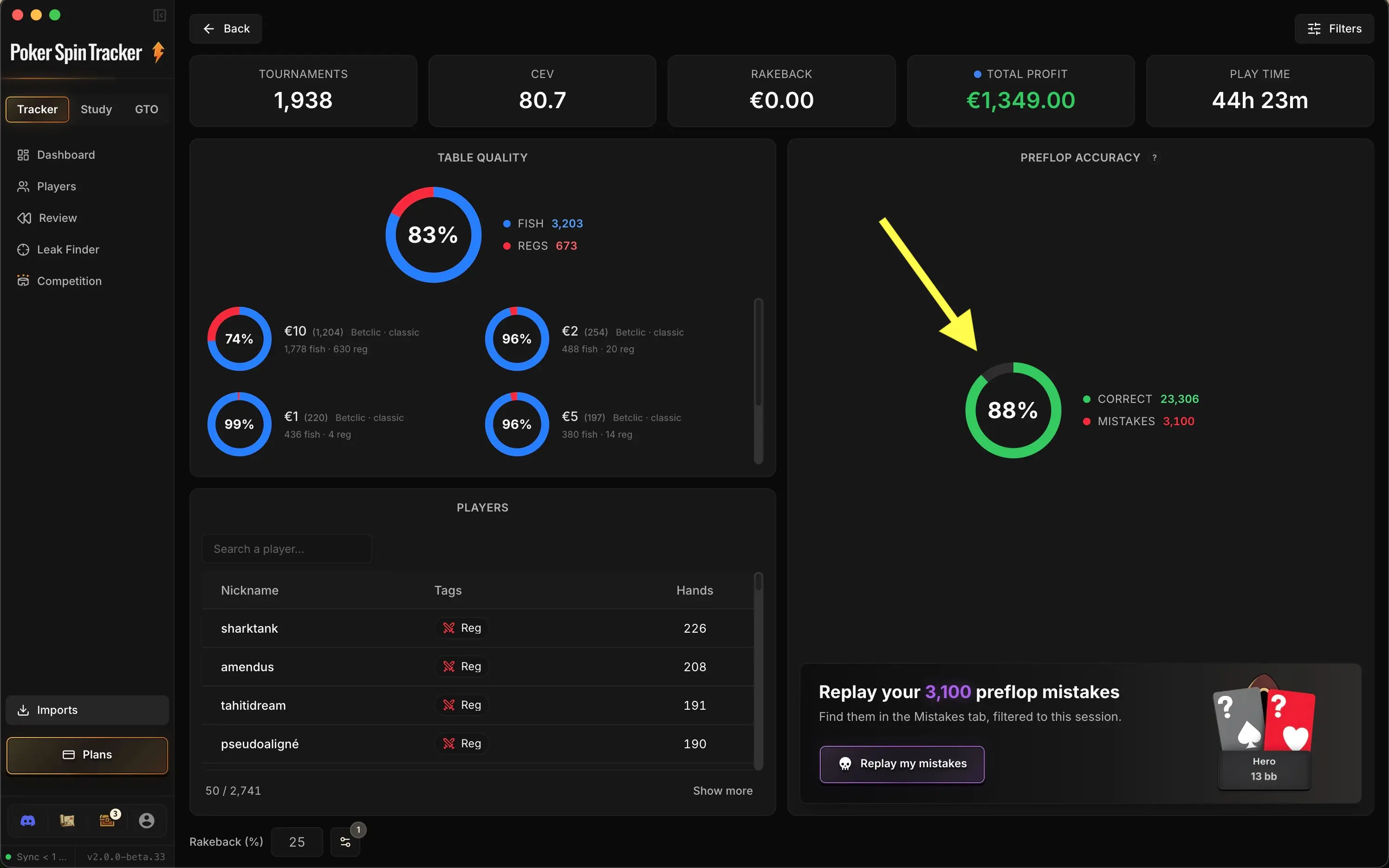
An accuracy ring displays your overall score, with the count of Correct (green) and Mistakes (red) decisions.
The situation-by-situation detail lives in the Trainer's Mistakes tab, which opens with one click on Replay my mistakes: that is where the situations table and the replay of your mistakes live, and we cover both right after.
Once again, even if you don't have the Study Pack, you still get access to your preflop accuracy (the Study Pack charts are the ones used). You just can't customize them, nor see exactly which mistake you made.
6. Replay mistakes
Listing your mistakes is good. Fixing them is better. It all happens in the Trainer's Mistakes tab (Study zone). From the import summary, the Replay my mistakes button takes you straight there, already filtered on the session you just imported.
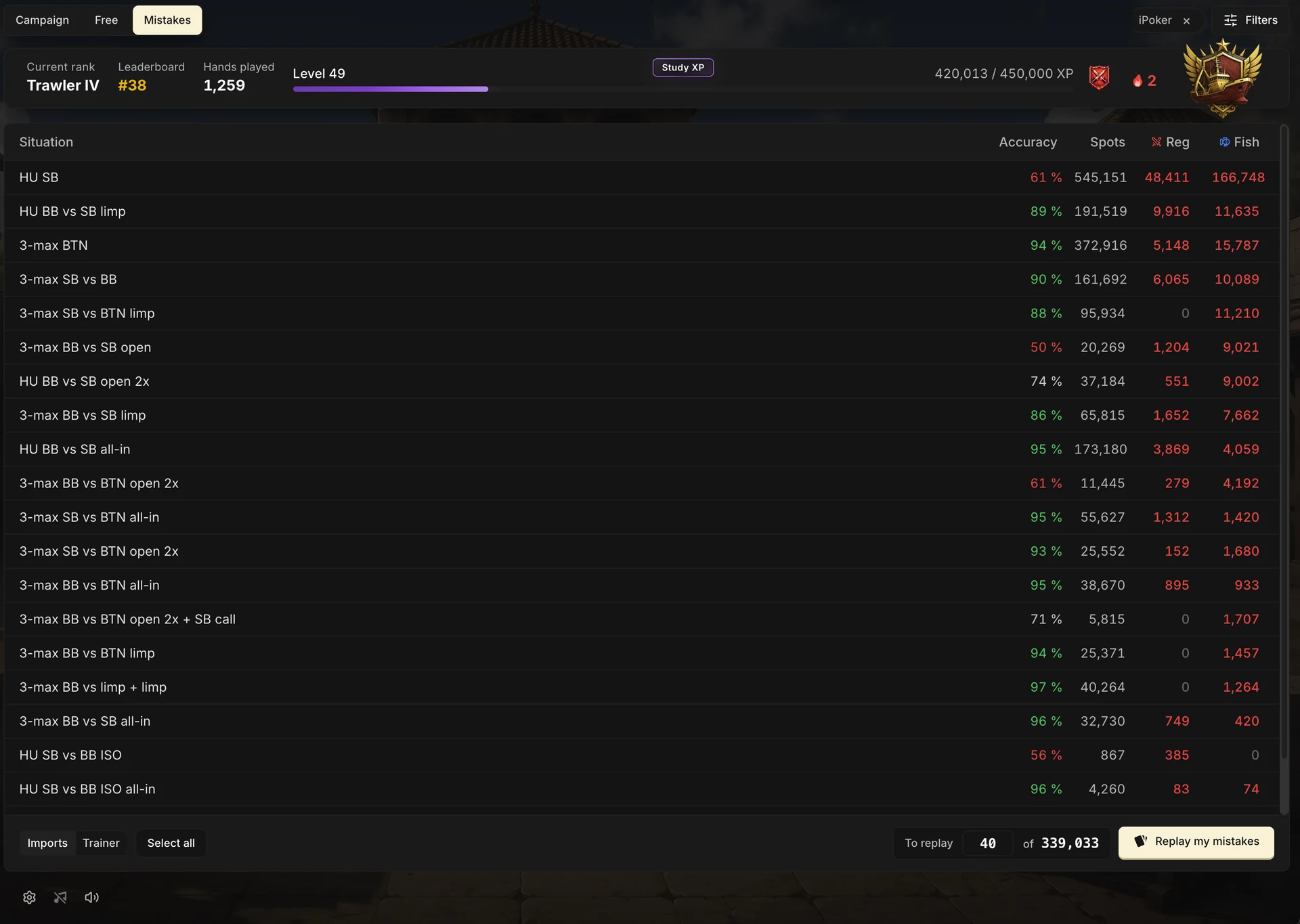
Each row is a preflop situation (HU SB, 3-max BTN, HU BB vs SB limp…) with its accuracy, its number of spots, and the breakdown of mistakes vs Reg and vs Fish . You sort by clicking the headers, and two sources sit side by side at the bottom left:
- Imports: the mistakes spotted in your imported games.
- Trainer: the mistakes made during your training sessions.
You select the situations you want to work on (or click Select all). In To replay, enter how many mistakes you want to review out of all the ones matching your selection, then click Replay my mistakes.
You know the tune by now, replaying your mistakes requires the Study Pack: it is what provides the reference charts shown during the session. The accuracy table, though, stays available without the Pack.
One question, one answer
You are put in a spot just like in the Trainer: your hand, the opponent (reg or fish) with their stack, your stack, and a counter of remaining mistakes at the top. It is up to you to pick the action you should have played among the buttons on offer.
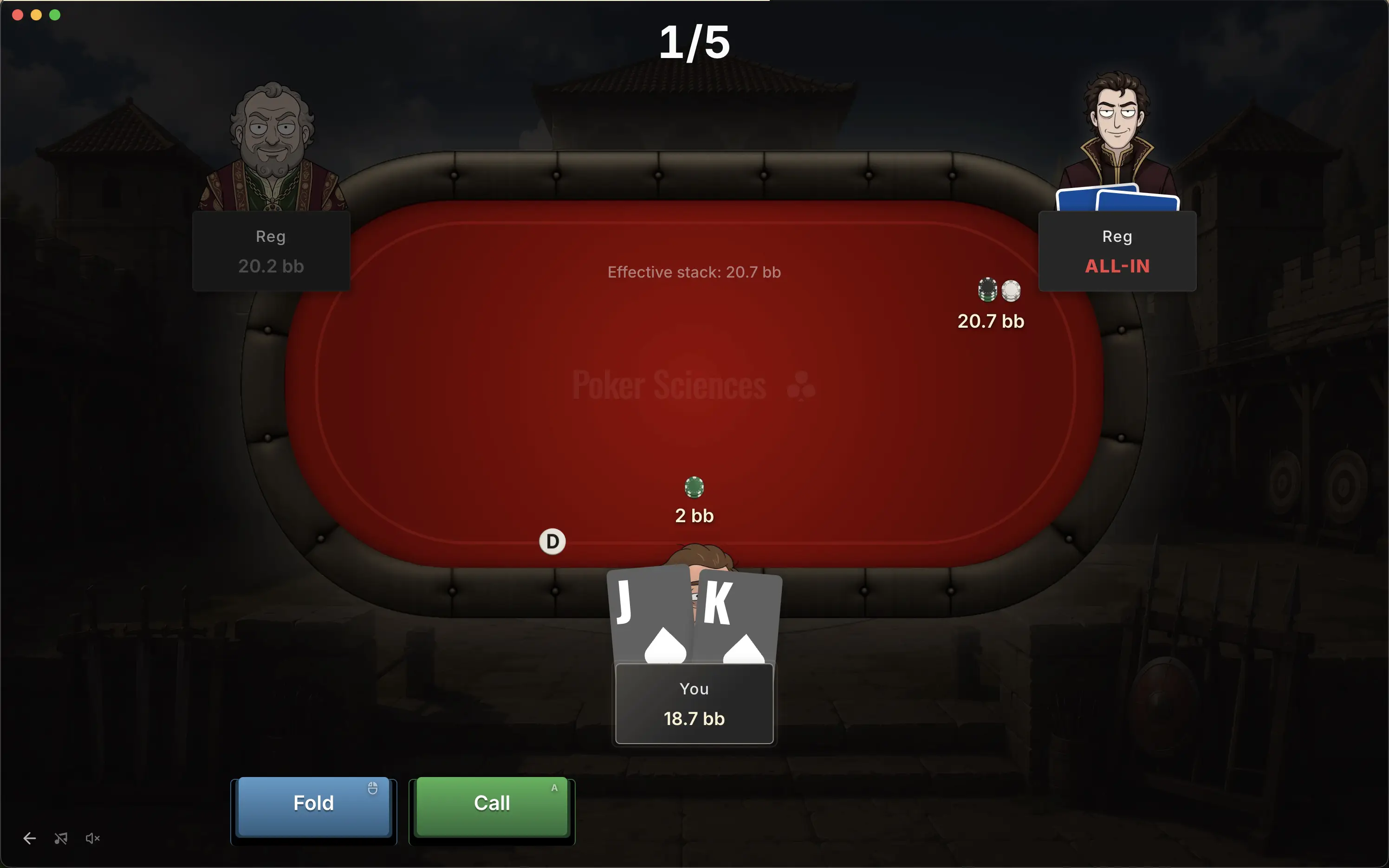
Smart behavior
If you deviated five times with A5o in the same spot, you will not get five questions.
the replay groups repetitions of the same combo together: you only work the situation once
The questions are then presented in random order and capped at the number you asked for. By the end, you have replayed the bulk of your mistakes in a few minutes, with immediate feedback on each one.
7. Key takeaways
Alright... this last chapter of module 5 was fairly dense, but hopefully it stays understandable. If some points are not clear yet, feel free to read it again at your own pace, then come over to Discord to ask your questions if you have any.
To sum up, there are several ways to review your mistakes in Poker Spin Tracker:
• Mistakes only Quick Filter: the fastest path to display only your preflop mistakes.
• Filters panel: the Mistakes only filter, in the panel's Mistakes tab.
• Import summary: the preflop accuracy donut and the Replay my mistakes button.
• The Trainer's Mistakes tab: the global table of all your situations and the Replay my mistakes button to fix them Trainer-style.
And that brings the last chapter of module 5 to a close.