
Quick Filters
A very quick chapter to help you save your favorite filter combinations and get them back in one click.

Gandalf
Co-founder of Poker Sciences

When you review your hands often, you end up applying the same filter combinations session after session: a spot you work on regularly, a ritual warm up, a systematic post-session.
Quick Filters spare you that repetition: you save the filter combination once, then recall it in one click, without going back through the Filters panel.
The tracker already comes with a few by default, as seen in the chapter Hands view or Spin view?.
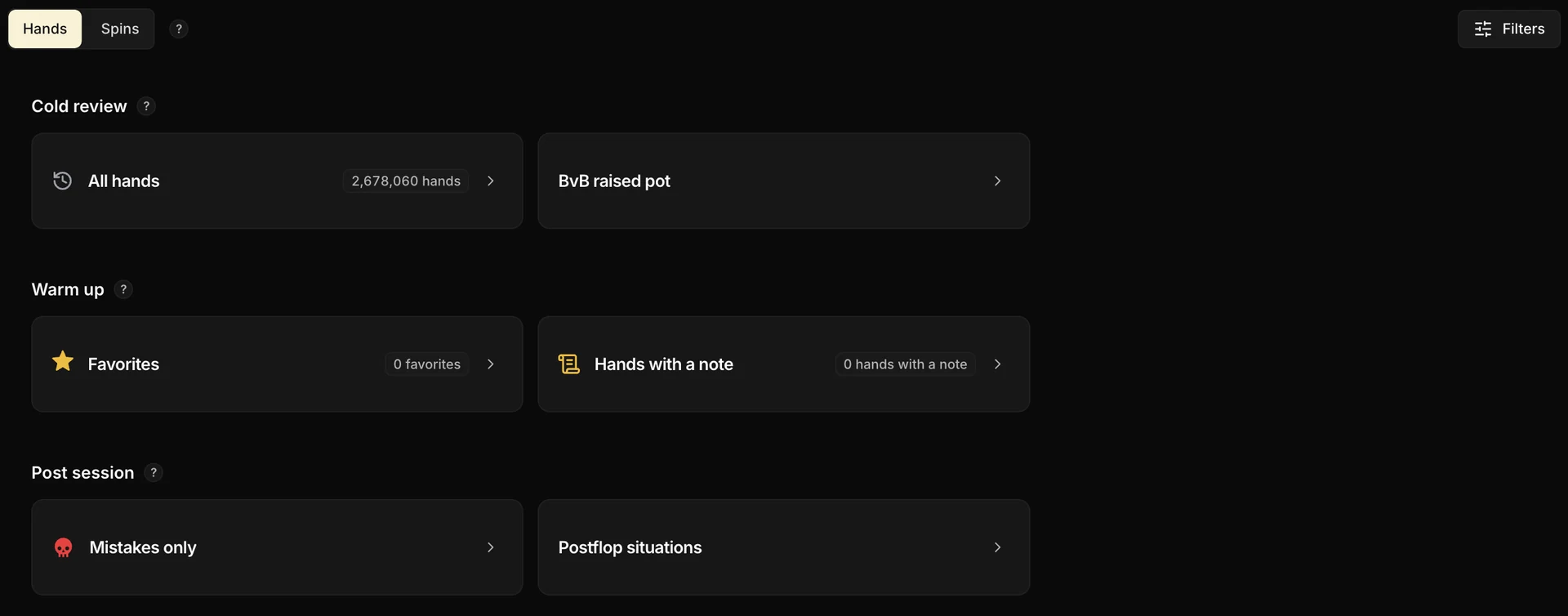
Create, organize, manage
Create a Quick Filter
A Quick Filter is a saved combination of filters. There are two ways to make one:
The simplest way: click + New quick filter, at the bottom of the Review. The Filters panel opens right away, ready for your filters and a name.

From the filters: open the panel with the Filters button (top right), set the filters you want to save (positions, stacks, spots, action line…), then, instead of clicking Apply, type a name in the field at the bottom and confirm with Create this quick filter.

In both cases, the Quick Filter lands in the Cold review section by default; you can move it afterwards if needed.
Organize
Click Reorder at the bottom of the Review to switch to edit mode. The cards then become draggable with the mouse, within a section or from one section to another (from Warm up to Post session, for instance). The order and the section are saved automatically.
Hide or delete
Still in Reorder mode, every card shows a trash icon.
- A default Quick Filter is hidden: it disappears but can still be brought back with the Reset button.
- A custom Quick Filter is permanently deleted. There is no way to undo it: you are asked to confirm, then it is gone for good.
A Quick Filter can be neither renamed nor duplicated. If a name no longer suits you, delete the custom Quick Filter and recreate it from the Filters panel.